01 / THE WORKSPACE
Every note, one clear view.
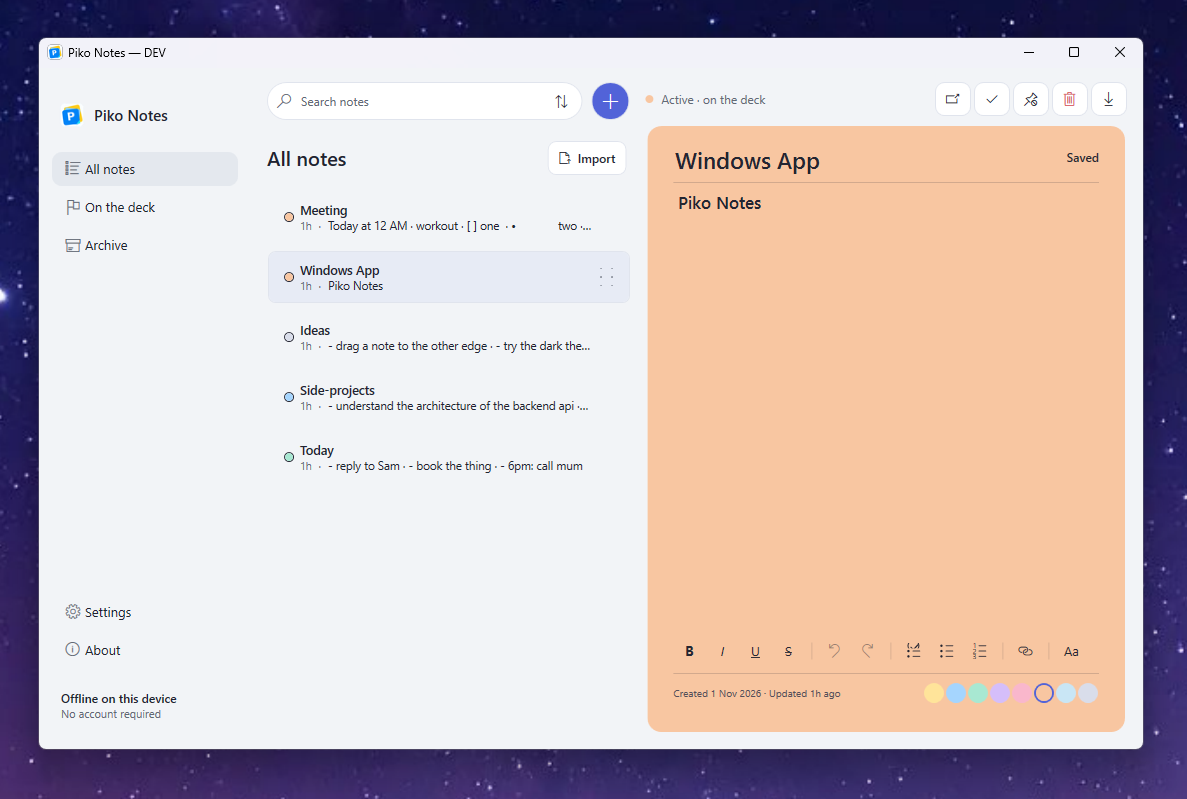
Search, sort, and manage your notes in All Notes. Select one to write without losing your place in the list.
Capture a thought, keep it within reach, and get straight back to what you were doing.
Current release · Windows 10 & 11
Your notes stay on your PC
Everything you need to capture a thought, close to the work you’re doing.
Search, sort, and manage your notes in All Notes. Select one to write without losing your place in the list.
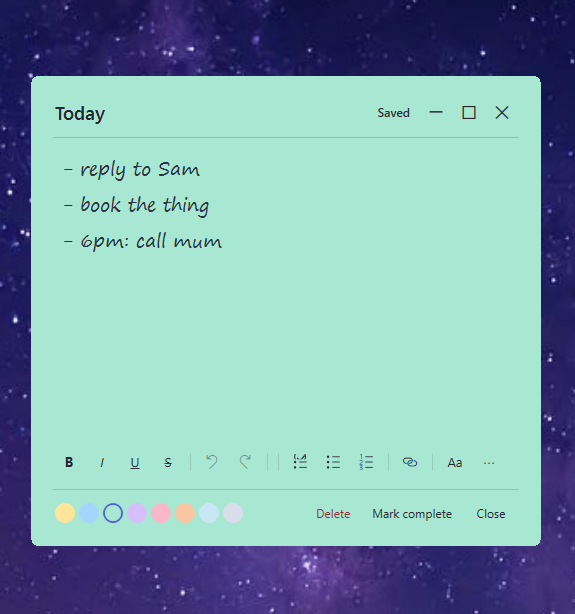
Open a floating note for a focused edit. Formatting, lists, links, and colour are right where you need them.
Remove a note without a confirmation dialog. You have ten seconds to undo if you change your mind.
Choose from Piko’s eight note colours. Try the swatches here to preview a palette; your real notes remain yours to style.
– reply to Sam
– book the thing
– 6pm: call mum
Choose the appearance that feels right, or let Piko follow your system setting.
Find a note when your collection grows.
Keep the order that makes sense to you.
Write with rich text, checklists, and links.
Choose where the deck feels most natural.
Match Windows or choose light or dark.
Bring in text or Markdown; export a note as Markdown.
Clear your deck and keep the note.
Choose handwritten, normal, rounded, or typewriter styling.
Back up and restore your notes on your PC.
From a thought at the edge to a workspace that makes it easy to find again.


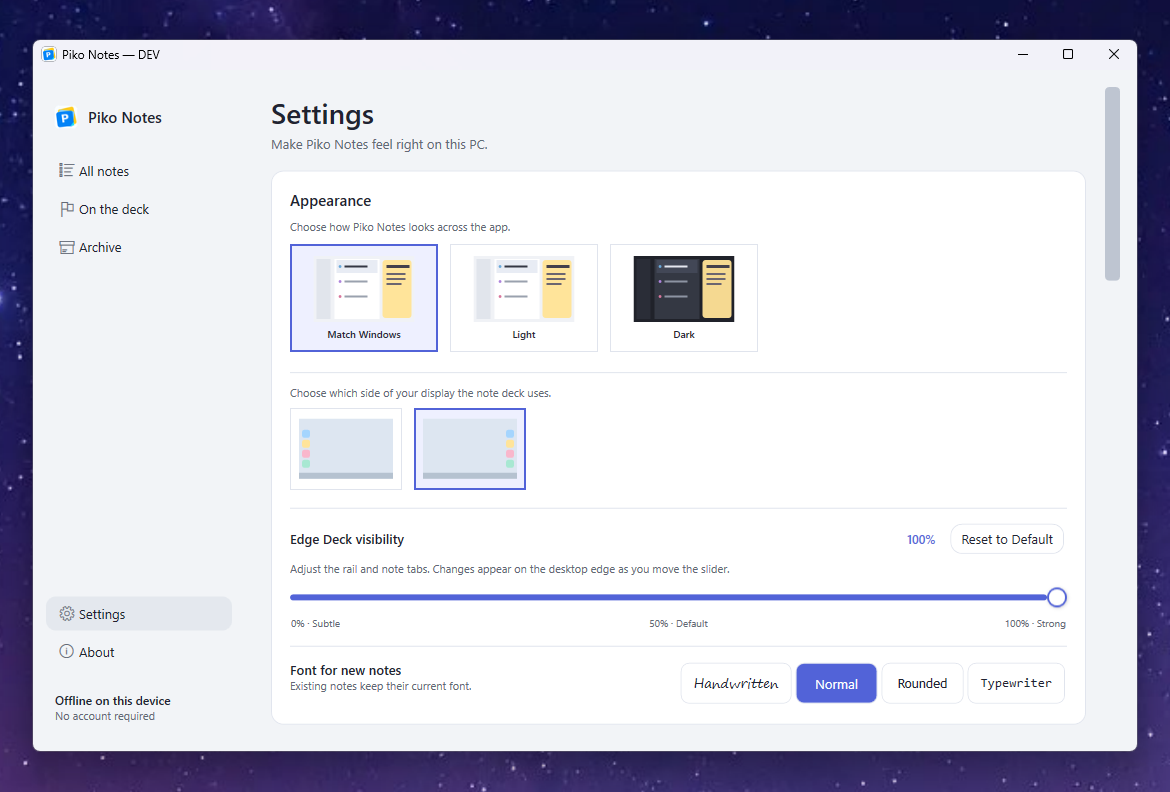
Piko Notes stays out of the way until a thought needs a place to land.
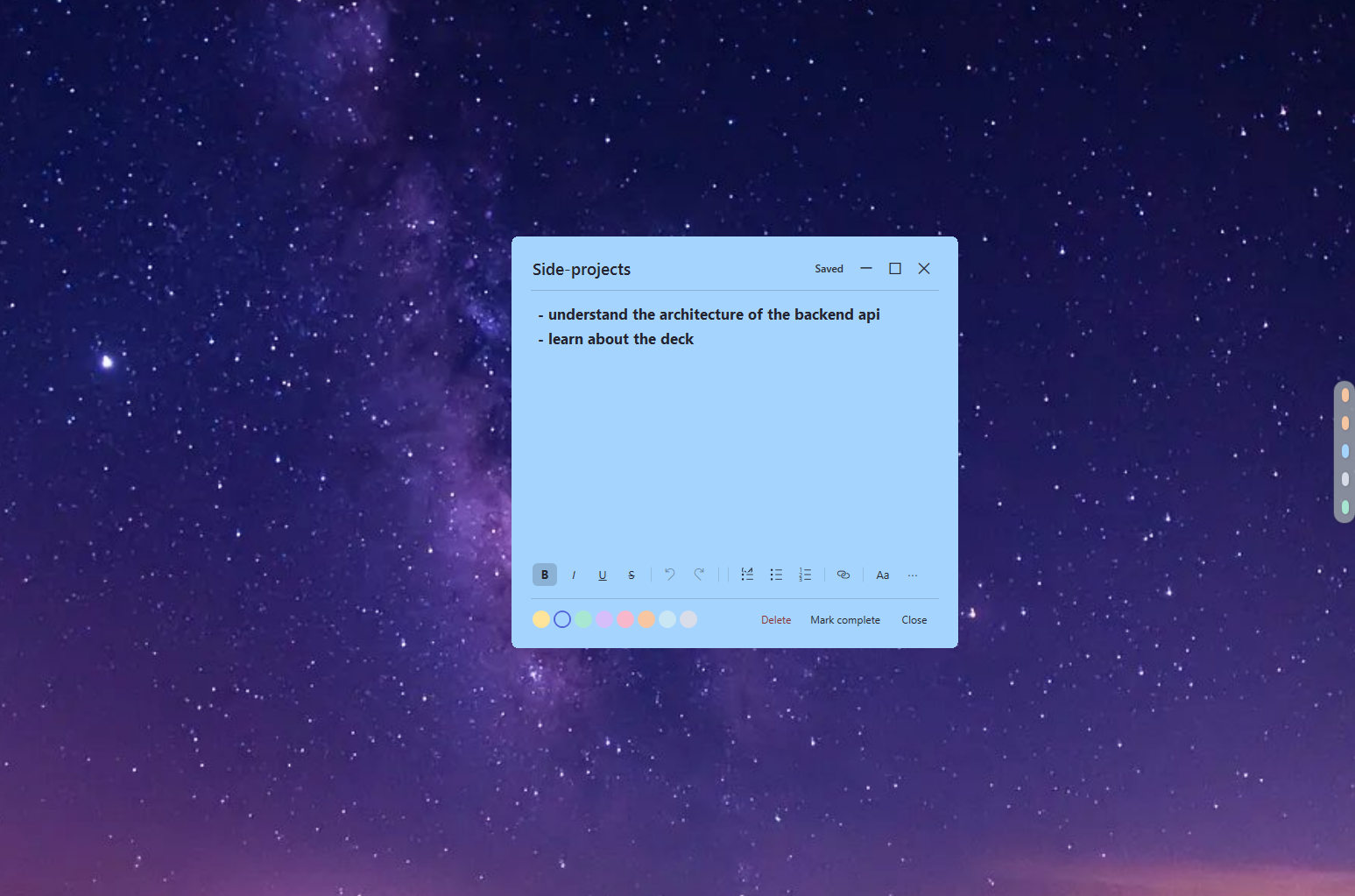
Keep the deck close without filling your desktop with windows.
Peek at a note, then open it in its own window when you want to write.
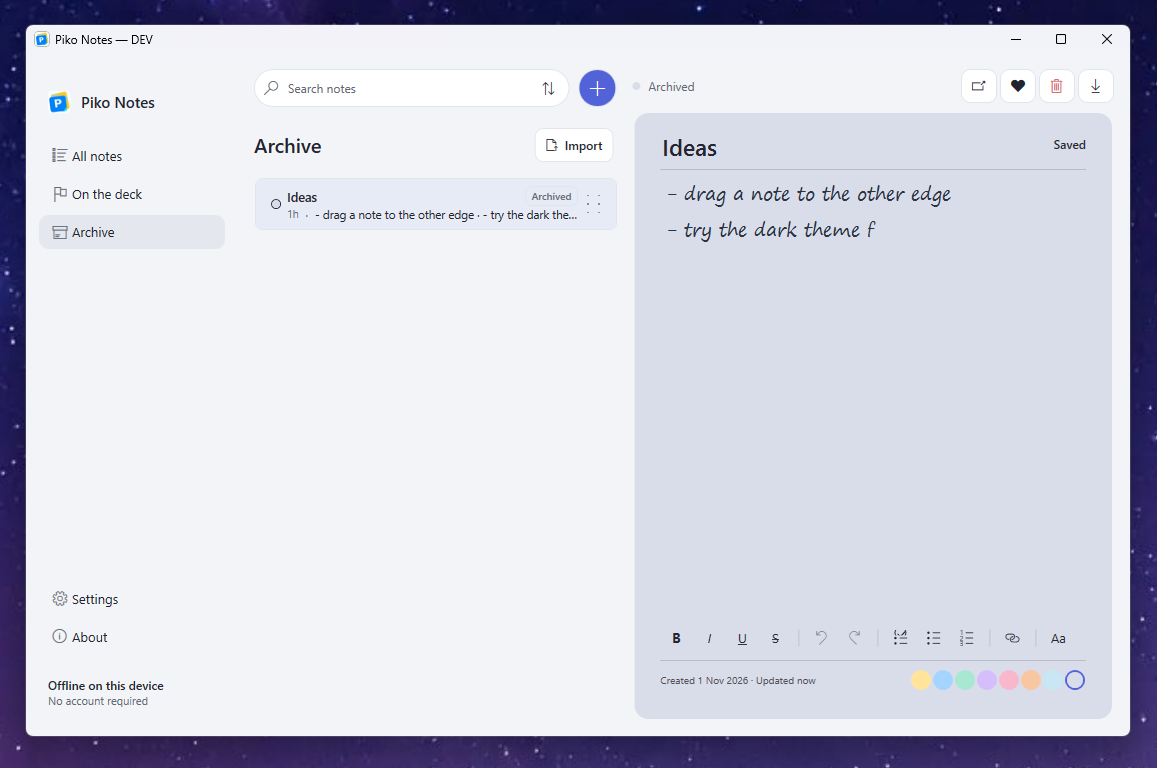
Archive a note and find it again in the All Notes workspace.
No cloud or account is needed to start. Piko Notes saves your thoughts locally so they stay within reach on your computer.
Your notes are stored on your computer. Choose where to keep them and make a backup whenever you like.
Documents\Piko NotesCreate a note, find it again, and keep your workspace tidy with familiar controls.
Keep the deck ready at your chosen screen edge.
Focus on one thought at a time.
Find and organize what you have written.
Move thoughts in and out of your workspace.
Peek. Open. Write. Keep going. See Piko Notes in motion.
The current Windows release is free to use. A $5.99 USD test checkout and Supabase payment verification have succeeded. Public sales are disabled while seven-day trial access and licence/device activation in the Windows app are completed.
Notes stay on your PC. The current Windows release remains free; trial access and paid licence features are not available in the app yet.
current Windows release
Use Piko Notes locally. No account or payment is required.
$5.99 USD · one-time · test mode
The Creem test checkout and Supabase payment verification have succeeded. Public purchase is disabled until the seven-day trial and licence/device activation are integrated into the Windows app.
No. Piko Notes works locally on your Windows PC without an account.
Not yet. The seven-day trial will use your Piko Notes account. Trial access is not available until it is integrated into the Windows app.
No subscription. A one-time $5.99 USD lifetime licence is planned; the test checkout and payment verification work, but public purchase and Windows app activation are not available yet.
The planned licence allows one active device per account. Windows app activation and second-device enforcement still need to be integrated and tested.
Yes. Your notes are stored on your computer and remain available without an internet connection.
A dated release history is not available yet. Explore the current features above, including the edge deck, floating notes, search, and local backup.
You can choose the left or right screen edge in Settings. Multi-monitor placement depends on your Windows display setup.
The deck is designed to stay at the edge of your desktop. Close Piko Notes when you need an uninterrupted full-screen session.
Keep notes in the deck and open a floating note only when you need its own window.
Yes. You can back up and restore your notes, import text or Markdown, and export individual notes as Markdown.
Piko Notes is currently available for Windows 10 and 11.
The current Windows release is free to use, and your notes stay on your PC. A seven-day trial and one-time $5.99 USD lifetime licence are being tested but are not available publicly yet.
Download is unavailable while a customer-ready release archive is prepared. Creem test checkout and Supabase payment verification work; trial and Windows app licence/device activation still need integration.
Windows 10 & 11Current release is freeNo account required